Desk First, Wiring Second? How to Stop a Torquay Home Office Leaning on One Socket
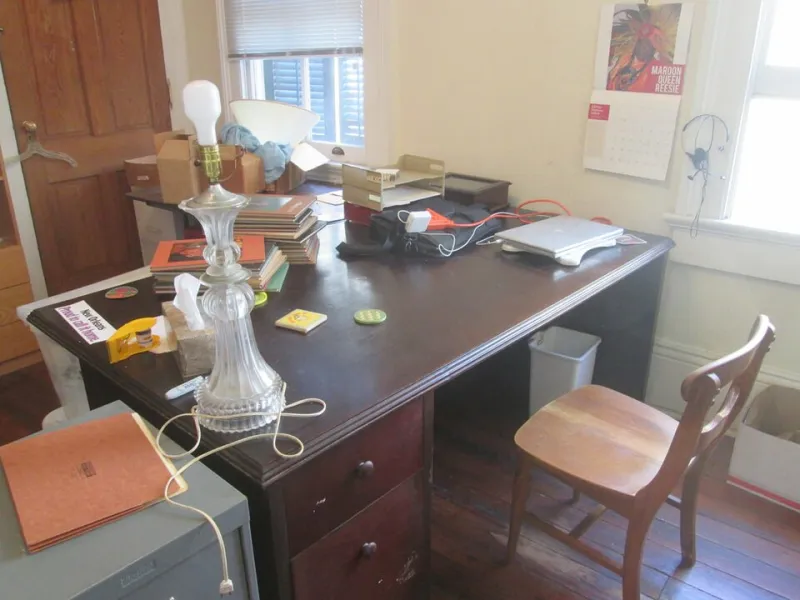
Photo: Infrogmation of New Orleans, CC BY 2.0, via Wikimedia Commons
Sooner or later, a lot of Torquay spare rooms stop being spare. A laptop appears on the dressing table, then a monitor, a printer, a phone charger and a lamp. Before long there is a desk in the bay window and a fan heater under it. The room still has the wiring it was given when it was a bedroom, and that is usually where the trouble starts.
A home office does not need to be complicated. It does need to be honest about what is plugged in, where the power comes from and whether one double socket is being asked to do too much.
Start with the real load, not the ideal one
Most desk kit is fairly gentle. A laptop might draw 65–100W, a monitor 30–50W, a router perhaps 10–20W, and a phone charger very little. Even a printer is usually modest in sleep mode, though a laser printer can pull a short burst when it wakes up and heats the fuser. Add all that together and it sounds manageable.
The picture changes when a 2kW fan heater joins the party. At 230V that is roughly 8.7A on its own. Put it on the same extension lead as a desktop PC, monitor, printer and lamp and you are asking a lot of one socket, one plug and one length of cable. The fuse may hold for a while. The plug top may feel warm. The extension lead may be coiled under the desk. None of that is a comfortable position.
A fused extension lead is rated at 13A, but that is a maximum, not a target. Cheap multi-gangs, block adapters and daisy-chained extensions all add weak points. If you are stacking one adapter into another to reach the router, it is time to stop and rethink the layout.
Sockets where the desk actually is
In an ideal world, a home office has double sockets each side of the desk, positioned above or beside the worktop rather than underneath it. That avoids the familiar sight of a knee-height plug being bent sideways while a vacuum cleaner is dragged past. In older Torquay properties, from Ellacombe terraces to solid-walled rooms in Wellswood, adding sockets can mean careful cable routing and a bit of making good. That is still better than a trail of leads across a doorway.
USB sockets can be handy, but they are not all equal. Look for reputable brands, shuttered outlets and enough output to charge modern devices at a sensible speed. A weak USB port will just send you back to a plug adapter. Also remember that USB charging is a convenience, not a substitute for proper 13A sockets where they are needed.
If the room has a chimney breast, a bay window or awkward skirting, do not let the desk layout be dictated entirely by the nearest existing socket. A short, planned spur or an additional socket in the right place is usually better than an extension lead stretched across a walking route.
The heater is the elephant in the room
Portable heaters are the most common cause of home-office electrical worry. A fan heater, convector or oil-filled radiator can easily be the biggest load in the room. If the spare room is used all day, a plug-in heater running for hours is not a great long-term plan. It is also easy to forget how much current it draws when the printer wakes up or the kettle goes on downstairs.
If the room needs regular heating, improve the room heating rather than leaning on a portable appliance. If a portable heater is unavoidable, give it its own socket near the heater, keep it clear of curtains, paper and cables, and never run it from an extension lead. Check the plug and flex regularly. A plug that is hot to the touch is a warning, not a quirk.
Broadband, printers and the hidden load
Routers and modems are small but continuous loads. They also tend to end up on the floor behind a desk, tangled with printer cables and a phone charger. Keep the router ventilated, avoid trapping it under a pile of paperwork, and do not put it on a switched extension that someone will casually turn off. The printer can be on the same general desk supply, but check whether it has a sleep mode and whether it wakes unexpectedly. A laser printer's warm-up surge is brief, but it still counts.
Cable management is not just about looks. Cables that are strained, crushed under chair wheels or run under a rug can become damaged without anyone noticing. A little trunking, a cable tray under the desk and a few Velcro ties will do more for safety than a drawer full of spare adapters.
When a dedicated circuit earns its keep
If the office is a permanent workspace with a desktop PC, two monitors, a printer, a router, desk lighting and a heater, the existing ring final may be doing more than it should. A dedicated circuit gives that room its own supply and reduces the chance of nuisance trips when other appliances elsewhere in the house are working hard.
A dedicated circuit does not always mean a major upheaval. Sometimes a spare way in the consumer unit and a new circuit is enough. In older homes, the consumer unit may already be full, or the earthing and bonding may need attention first. A small consumer-unit change, such as adding an RCBO for the new circuit, may be the sensible route. Either way, a new circuit is not a DIY job; it needs proper design, testing and notification under the building regulations.
For a laptop, a lamp and a phone charger, the existing sockets are often fine. The time to ask for advice is when the room has become a proper office with a heavy, permanent load, or when the only solution on the table is another extension lead.
The pre-drill checklist
Before adding sockets or drilling into a wall, check what is already there. Does the socket have RCD protection? Do the plugs sit firmly? Is any lead warm? Has the breaker tripped more than once? Are there signs of older wiring, such as round-pin sockets or a fuse box with a wooden backboard? If anything looks tired, get it checked before adding more load.
A good home office should be electrically boring. The desk should not wobble the lights when the printer wakes up, the heater should not share a lead with the computer, and the floor should not be a web of adapters. Plan the loads, put sockets where they are useful and treat the heater as the serious appliance it is. That is usually the difference between a spare room that works and one that just happens to have a desk in it.